
Let’s be honest for a second: nothing screams “amateur hour” like sending an invoice from yourbusinessname@gmail.com.
You’ve put in the work. You’ve built the website, dialed in the logo, and perfected your value proposition. But the moment a potential client sees that generic @gmail or @yahoo address in their inbox, a tiny alarm goes off in their head: Are these guys legit?
The solution seems obvious: get a professional email address (like hello@yourdomain.com). But for years, the road to that @yourdomain address has been paved with hidden fees, confusing control panels, and the dreaded “per-user pricing pain.”
You know the drill. You sign up for a “cheap” plan, only to realize that every single team member—or even every alias you want—costs an extra $5, $6, or even $10 per month. Suddenly, a team of five costs you $600 a year just to send emails.

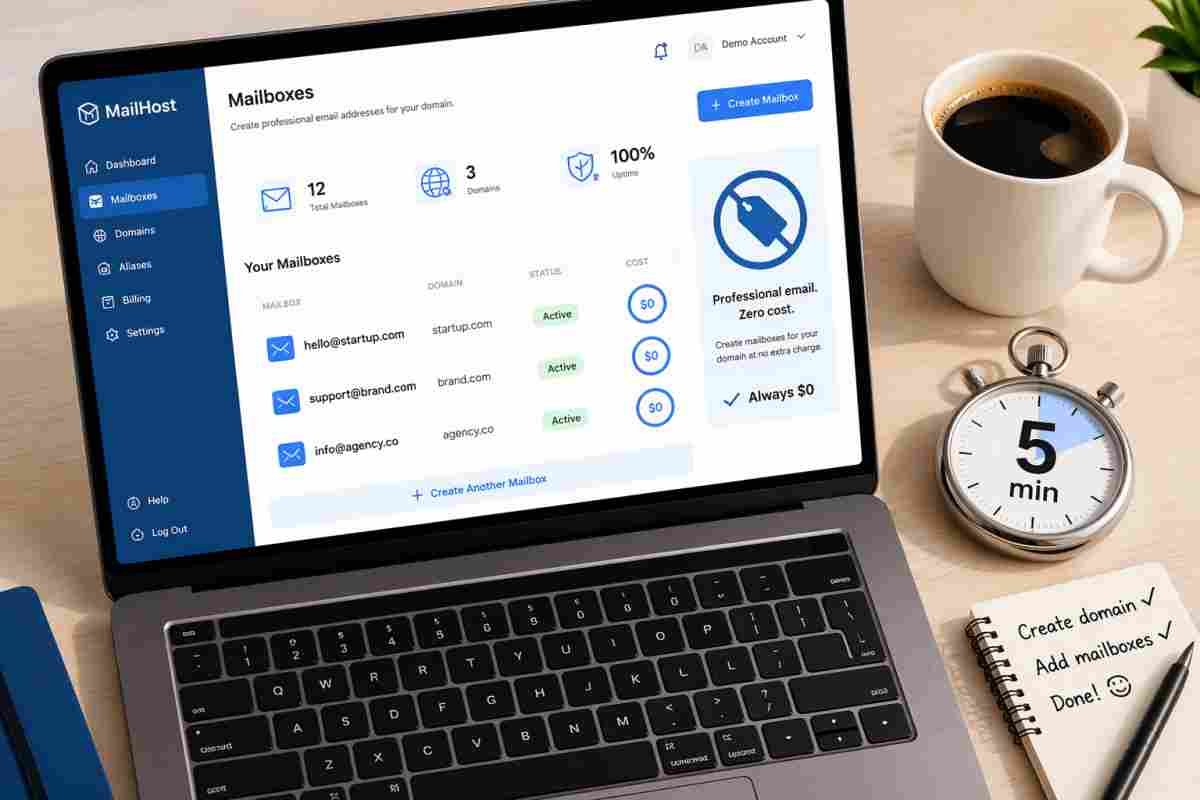
But what if it didn’t have to be that way? What if you could launch professional email on your domain in minutes, without per-user pricing pain?
You can. Today, we are breaking down exactly how to ditch the legacy hosting models, take back control of your inbox, and set up a complete business email ecosystem that scales with your revenue—not against it.
Why “Free” Email Costs You Business
Before we dive into the setup, we need to talk about psychology. Your email address is real estate. It is the digital welcome mat to your business.
When you use a free consumer service:
- Trust erodes: 74% of consumers say they distrust brands that use generic email domains.
- Deliverability tanks: Free email servers throttle senders. If you send 50 emails a day from a free account, you look like a spammer.
- You don’t own your data: If your free account gets locked (it happens), you lose your customer history with no phone number to call.
Professional email fixes all of that. It tells the world, “We have our infrastructure together.” It boosts open rates because spam filters recognize verified domains.
But historically, getting that “verified domain” status required a Ph.D. in DNS records or a second mortgage to cover monthly user fees.
The Problem with “Per-User Pricing Pain”
Let’s do the math on the traditional model.
Google Workspace or Microsoft 365:
- Basic plan: ~$6/user/month.
- You have 10 employees: $60/month ($720/year).
- You need a generic info@ and sales@? That’s two more “users” (or you pay for a higher tier). Add $12/month.
That is the per-user pricing pain. It punishes growth. Every time you hire a new intern or add a new department, your overhead increases.
For a freelancer, paying $6/month for one address is fine. But for a small business, a nonprofit, or a family managing a few domains, that model feels like death by a thousand cuts.
What if you could pay a flat monthly rate for the server, not the seat? What if you could create 50 mailboxes for the price of one latte?
That isn’t a fantasy. That is the modern alternative.
The Alternative: Flat-Rate Professional Email Hosting
Imagine a dashboard where you control everything. You own the domain. You set the limit.
Instead of paying $6 per human, you pay a fixed monthly fee for the infrastructure. Need a mailbox for accounts@? Create it. Need one for support@? Create it. Need one for *2024-campaign@*? Click. Done. No extra charges.
This model is called “unlimited mailbox hosting” or “flat-rate email hosting.” It allows you to launch professional email on your domain in minutes, without per-user pricing pain because the pricing is attached to storage or bandwidth—not the number of human beings typing emails.
For bootstrapped startups, real estate agents, small retail shops, and remote teams, this is a game-changer.
Step-by-Step: From Zero to “Hello@YourName” in Under 10 Minutes
Let’s get technical, but keep it painless. You do not need to be a sysadmin to do this. You just need access to your domain registrar (where you bought your .com) and a good email host.
Here is the blueprint to set this up right now.
Step 1: Choose a Host That Doesn’t Hate Your Wallet
You cannot avoid the “pain” if you go with the big guys (Google/Microsoft). You need an Independent Email Hosting Provider (IEHP). Look for a provider that offers:
- Flat-rate pricing (e.g., $15/month for the whole server, not per user).
- IMAP/POP3 access (so you can use Outlook, Apple Mail, or Thunderbird).
- Modern webmail (Roundcube, RainLoop, or SnappyMail).
- Catch-all email addresses (so anything@yourdomain.com lands in your inbox).
Pro tip: Many modern “cloud hosting” panels (like cPanel alternatives or specialized email platforms) offer this flat-rate structure. Look for terms like “Multi-domain support” and “Unlimited mailboxes.”
Step 2: Point Your Domain (The “Scary” DNS Part)
This is where most people freeze. Don’t. DNS (Domain Name System) is just a phonebook for the internet.
Your new email host will give you two pieces of data:
- MX Records (Mail Exchange) – Tells the internet where to send your mail.
- TXT Records (SPF/DKIM) – Proves you aren’t a spammer.
How to do it:
- Log into your domain registrar (GoDaddy, Namecheap, Cloudflare, etc.).
- Find the DNS Settings or Zone Editor.
- Delete the old MX records (usually pointing to your website host).
- Paste the new MX records from your email host.
- Paste the TXT verification records.
The “Minutes” promise: It takes 120 seconds to copy/paste these values. However, the internet takes 5 to 30 minutes to update. Go grab a coffee. When you come back, it’s live.
Step 3: Create Your Mailboxes (No Pricing Pain Here)
This is the fun part. Inside your new email dashboard:
- Click “Create Mailbox.”
- Type
hello(to make hello@yourdomain.com). - Set a strong password.
- Click Save.
Now do it again. support, billing, careers, legal, noreply. Create ten. Create twenty.
Notice something? The price didn’t go up. You just launched professional email on your domain in minutes, without per-user pricing pain, because your host charges a flat rate for the engine, not the seats.
Step 4: Routing and Aliases (The Secret Sauce)
One of the biggest hidden costs in traditional email is aliases (forwarders). Google charges you for these if they send mail. A flat-rate host does not.
Set up routing:
- Create
sales@yourdomain.comthat forwards to three specific sales reps. - Create a catch-all route:
*@yourdomain.comsends toadmin@yourdomain.com. Never miss a misspelled email again. - Create plus-addressing:
you+project@yourdomain.comautomatically filters into folders.
With a flat-rate dashboard, you control the flow of information without adding “seats.”
Step 5: Migration (Don’t Lose the Old Stuff)
Worried about moving from Gmail or Outlook? Don’t be. Most modern email dashboards include an automatic migration tool.
You give it your old Gmail password and IMAP settings. The server copies everything—folders, read status, sent mail, attachments—over to your new professional domain. You don’t have to manually drag and drop 10,000 emails.
Once the migration finishes, you forward your old Gmail to your new address, update your signature, and you are officially a professional.
The Dashboard: Where the Magic Happens
The difference between a headache and a solution is the dashboard.
Legacy hosts give you a clunky, 1990s-era control panel where changing a password requires three confirmation screens. Modern flat-rate hosts give you a single-pane-of-glass dashboard where you can manage:
1. Domains
Do you own three businesses (yourdomain.com, yourdomain.net, yourbrand.co)? Add them all to one dashboard. Manage mailboxes for all three without logging in and out. No extra domain fees.
2. Mailboxes
See a list of every address on your domain. Sort by last login. See how much storage they use. Suspend a former employee’s mailbox with one click (without deleting their data).
3. Routing Rules
Build sophisticated logic. “If email comes from contact-form@, forward to sales@ AND manager@.” “If subject line contains ‘URGENT,’ send SMS to my phone.” This is enterprise logic at a bootstrapper price.
4. Migration Tools
Click a button to pull everything from OldHost. Watch the progress bar. Done.
5. Security & Archiving
Enable 2FA for every mailbox. Set up email archiving for compliance (so no one can delete evidence of a conversation). Set sending limits to prevent your accounts from being used for spam.
Comparing the Pricing Models (Real Numbers)
Let’s look at a real-world scenario. You run a small marketing agency. You have:
- 5 full-time employees.
- 2 interns.
- 3 generic department addresses (info, sales, support).
- 1 project management alias.
Traditional Per-User Pricing (Google Workspace):
- 7 human users (5 employees + 2 interns) x $6 = $42/month.
- 3 generic addresses + 1 alias = You usually need to pay for “Groups” or higher tiers. Add $6/month.
- Total: $48/month ($576/year).
- Pain level: High. Every new intern costs you $6.
Flat-Rate Professional Email (Modern Host):
- Flat server fee: $15/month (includes unlimited mailboxes).
- 7 human users + 3 generic addresses + 1 alias = 11 mailboxes. Cost? Still $15.
- Total: $15/month ($180/year).
- Savings: $396 per year. That is a new laptop. Or a really nice team lunch.
The “Minutes” Factor:
Traditional setup requires verifying each user, assigning licenses, and waiting for Google to provision accounts (30+ minutes).
Flat-rate setup: Create 11 mailboxes in 60 seconds. Done.
Is “Unlimited” Really Unlimited? (The Fine Print)
You are smart to ask. Nothing in tech is truly unlimited.
When a host says you can launch professional email on your domain in minutes, without per-user pricing pain, they usually mean:
- Unlimited mailboxes: Yes, you can create 1,000 addresses.
- Limited storage: You usually get a pool of storage (e.g., 50GB total for $15/month). If one user sends huge video files, they eat the pool. That is fair.
- Sending limits: To prevent spam, most hosts limit outgoing emails per hour (e.g., 300 emails/hour/mailbox). For a normal business, this is invisible. For a newsletter sender, you need a dedicated service (like Mailchimp).
Read the “Acceptable Use Policy.” If it sounds reasonable, you are safe.
Unlock Explosive Growth: 1,000+ ChatGPT Prompts for Business
Advanced Tactics: Get More Out of Your Domain
Once you have escaped per-user pricing, you start to think differently. You stop rationing email addresses. Here is what you can do now that you aren’t paying per seat:
The “Disposable Alias” Strategy
Never give a website your real email again. When you sign up for a SaaS tool, use thatcompany@yourdomain.com. If you start getting spam, you know who sold your data. Delete that specific alias. Problem solved.
Departmental Splitting
Create warehouse@, returns@, review@. Each one routes to a specific Slack channel or different team member. You don’t have to huddle around one shared inbox like it’s 1995.
Branded “No-Reply” Addresses
Set up noreply@yourdomain.com for automated receipts. Because it comes from your domain, it passes spam filters better than noreply@gmail.com.
Troubleshooting: Why Isn’t It Working?
If you try to launch professional email on your domain in minutes, without per-user pricing pain and hit a snag, here are the three most common issues:
Issue 1: Emails go to Gmail spam.
- Fix: You forgot the TXT (SPF) record. Go back to your DNS settings. Add the string your host gave you. Wait 1 hour.
Issue 2: Old emails are gone.
- Fix: You didn’t migrate. Use the IMAP migration tool in your new dashboard. If you already deleted the old account, check if your old host has a backup.
Issue 3: I can’t send from my iPhone.
- Fix: You used the wrong server settings. Use
mail.yourdomain.comfor IMAP (incoming) and SMTP (outgoing). Turn on SSL. Use the full email address as the username.
The Verdict: Stop Renting Seats, Start Owning Your Inbox
The era of paying $6 per user per month is ending for smart small business owners. That model was built for Fortune 500 companies with HR departments and unlimited budgets. It was never built for the freelancer, the side hustler, or the local bakery.
You deserve an email setup that grows with your ambition, not your wallet.
By choosing a flat-rate, multi-domain email host, you reclaim control. You stop counting heads and start focusing on your business. You stop fearing the “Add User” button and start building systems.
Today, you have the power to launch professional email on your domain in minutes, without per-user pricing pain.
Don’t let another invoice go out with a @gmail address. Don’t let another potential client second-guess your legitimacy. Take the 10 minutes. Buy the flat-rate plan. Set up the DNS. Create those 20 mailboxes just because you can.
Your professional future is waiting in your inbox. And for the first time, it doesn’t cost extra to let everyone in.
Ready to Flip the Switch?
If you are tired of per-user pricing and complicated migrations, look for a host that prioritizes simplicity and flat-rate billing. Your domain is your digital real estate—it’s time to build the mailroom you actually deserve.
Have you made the switch from per-user pricing? Or are you still paying for seats you don’t use? Drop a comment below—let’s compare horror stories
